How to Cite a PDF in APA, MLA, and Chicago
Short answer
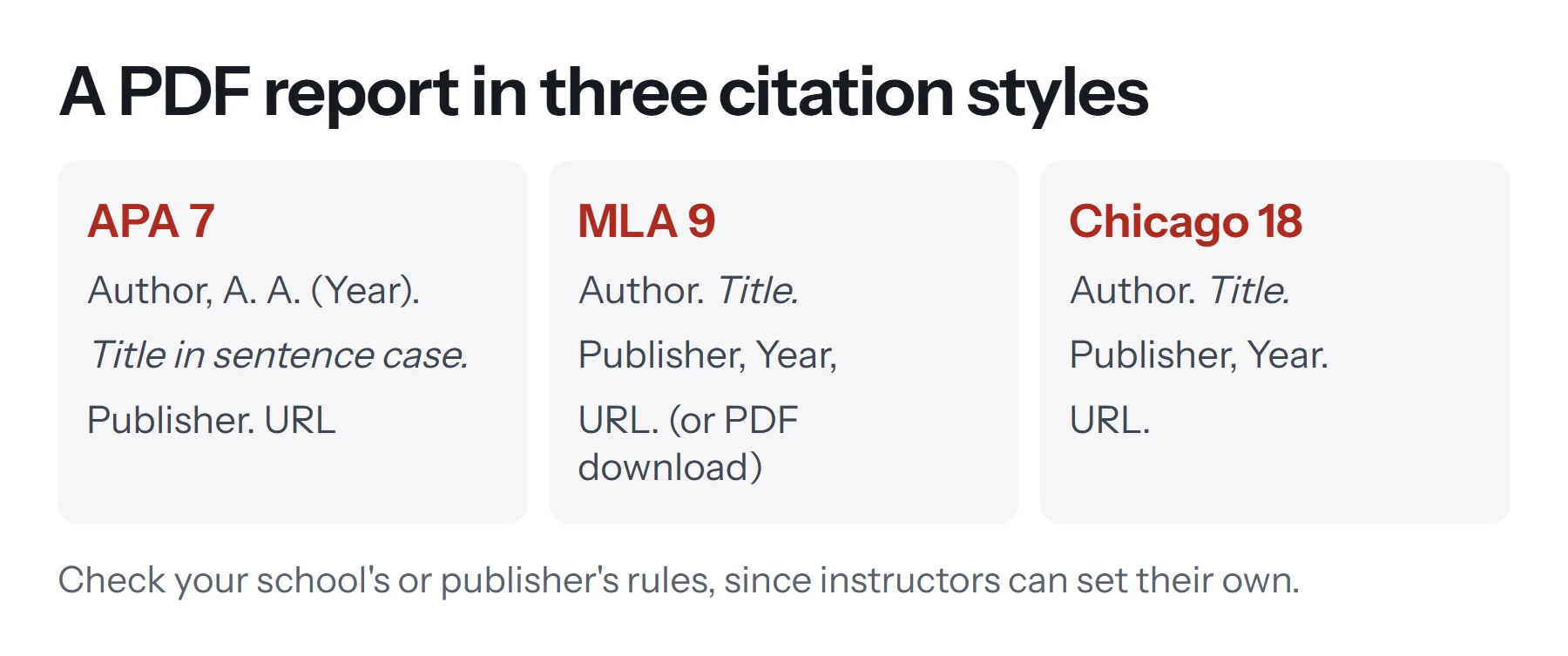
To cite a PDF, identify what kind of work it is, such as a report, article or book, and cite it using that format. The PDF format itself usually doesn't change much. In APA, give the author, year, title, publisher and URL. In MLA, list the author, title, publisher, year and URL. In Chicago, give the author, title, publisher, year and URL.
Open PDF to TextKey takeaways
- Cite the type of work, not the file type. A PDF report is cited as a report, and an article as an article.
- APA 7 uses DOIs where available, and no longer needs "Retrieved from" for most URLs.
- MLA 9 can add "PDF download" as an optional element, and treats a PDF from a website as having two containers.
- Chicago's 18th edition (2024) applies. Add an access date only when there's no publication date.
The one rule for citing any PDF
Cite the kind of work the PDF contains, not the file format. A PDF is just a container. It might hold a government report, a journal article, a book chapter, a white paper or a lecture handout, and each has its own citation format. So your first job is to work out what you're looking at.
| What the PDF is | Cite it as | Key details to find |
|---|---|---|
| Report from an organization | Report | Organization, year, title, report number, URL |
| Journal article | Journal article | Authors, year, volume, issue, pages, DOI |
| Book or ebook | Book | Author, year, publisher, DOI or URL |
| Thesis or dissertation | Thesis | Author, year, university, database or URL |
| Web document or fact sheet | Webpage or report | Author, date, title, website, URL |
| Lecture slides or handout | Course material | Instructor, date, course, institution |
A quick way to find the details is to look at the first page, the last page and the footer. The PDF's properties, under File, then Properties in most readers, can help too, but they're often incomplete or wrong, so trust the page itself.
How to cite a PDF in APA (7th edition)
APA Style treats a report as a particular reference type, and the template below works for most standalone PDFs from organizations.
Template:
Author, A. A., & Author, B. B. (Year). Title of report in sentence case (Report No. 123). Publisher. URL
Example (invented for illustration):
Rivera, M., & Chen, L. (2024). Urban cycling trends in midsize cities (Report No. 18). City Transport Institute. https://www.example.org/cycling-report.pdf
In-text citations: (Rivera & Chen, 2024). For three or more authors, use the first author's name and "et al." from the first citation: (Rivera et al., 2024). For a direct quote, add the page: (Rivera & Chen, 2024, p. 12).
APA rules worth remembering
- Sentence case for titles. Capitalize only the first word, the first word after a colon, and proper nouns. Italicize the title.
- Skip the publisher if it's also the author. If an agency wrote and published the report, list it once, as the author.
- Use DOIs when you have them. APA prefers a DOI over a URL when one's available.
- "Retrieved from" is mostly gone. APA 7 doesn't require it before URLs. It's only for content that's designed to change, with an access date.
- No "PDF" label is needed. You don't have to say it's a PDF.
A government report (invented for illustration):
National Road Agency. (2023). Annual road safety statistics (Publication No. 45). Department of Transport. https://www.example.gov/road-safety.pdf
Here the specific agency is the author and its parent department is the publisher, which matches APA's guidance for government reports.
How to cite a PDF in MLA (9th edition)
MLA builds every entry from the same core elements, and it has specific guidance on PDFs. It separates two situations.
A PDF you reached through a website
MLA treats this as having two containers: the PDF, and the website it came from.
Template:
Title of PDF. Publisher, Year. Website Title, Website Publisher, Date, URL. PDF download.
The words "PDF download" are an optional element at the end.
A PDF linked directly
If you reached the PDF through a direct link, such as from a bibliography or an email, it's usually enough to give the PDF's URL and leave out the website.
Template:
Author. Title of PDF. Publisher, Year, URL.
Example (invented for illustration):
Rivera, Marta, and Li Chen. Urban Cycling Trends in Midsize Cities. City Transport Institute, 2024, www.example.org/cycling-report.pdf.
In-text citation: (Rivera and Chen 12). MLA uses the page number without a "p." If there are no page numbers, leave that out, unless the PDF has clearly numbered sections.
MLA rules worth remembering
- Title case for titles. Capitalize the major words.
- Spell out first names in the Works Cited list, and use "et al." for three or more authors.
- Remove "https://" from URLs. The MLA style drops it.
- No access date is needed, though you can add one if a source lacks a date or might change.
- Stand-alone files. A PDF you got as a file, not from the web, can note the file type at the end, in the same way as other digital files.
How to cite a PDF in Chicago (18th edition)
Chicago offers two systems, so check which one your instructor or publisher wants. The 18th edition, published in 2024, is the current one. Among other changes, books generally no longer need a place of publication.
Notes and bibliography
Bibliography entry:
Last, First. Title of Report. Publisher, Year. URL.
Note:
First Last, Title of Report (Publisher, Year), page, URL.
Example (invented for illustration):
Rivera, Marta, and Li Chen. Urban Cycling Trends in Midsize Cities. City Transport Institute, 2024. https://www.example.org/cycling-report.pdf.
Author-date
Reference list entry:
Rivera, Marta, and Li Chen. 2024. Urban Cycling Trends in Midsize Cities. City Transport Institute. https://www.example.org/cycling-report.pdf.
In-text citation: (Rivera and Chen 2024, 12).
Chicago rules worth remembering
- Add an access date only when needed. Use one if there's no publication or revision date, written as "Accessed" plus the date.
- Put the URL or DOI last.
- Web pages use quotation marks. A document on a website with no standalone title is cited as a web page, with the page title in quotes.
- Some disciplines have stricter rules, so check your department's guide.
APA, MLA and Chicago at a glance
| Element | APA 7 | MLA 9 | Chicago 18 |
|---|---|---|---|
| Author | Last, A. A. | Last, First. | Last, First. |
| Date position | After author | Near the end | End, or after author in author-date |
| Title style | Sentence case, italics | Title case, italics | Title case, italics |
| DOI or URL | Full URL, DOI preferred | No "https://" | Full URL or DOI |
| Access date | Rarely | Optional | If there's no other date |
| In-text | (Rivera & Chen, 2024, p. 12) | (Rivera and Chen 12) | (Rivera and Chen 2024, 12), or a note |
What if the PDF is missing information?
PDFs often leave things out. Here's how to handle each gap, without inventing anything.
No author: use the organization as the author. If no organization is named, begin with the title. In APA, the in-text citation uses a shortened title in italics. In MLA, it uses a shortened title too.
No date: in APA, use (n.d.). In Chicago, use n.d., and add an access date. In MLA, leave it out, and consider adding your access date.
No page numbers: for a direct quote in APA, give a section name or paragraph number. In MLA, omit the page. In Chicago, a section name is fine.
No publisher: if it's a personal document, leave it out. If it's on a website, use the site's name.
Stored on a course site: materials behind a login that your readers can't access may need the course details. Ask your instructor. APA treats classroom materials differently, depending on who your audience is.
How to collect citation details from a PDF
Pulling these details together is often the slowest part. A few tricks help:
- Look at the first page and footer for the author, date and report number.
- Search for the title online to find a DOI or the publisher's own page.
- Check the document properties, but verify what you find there, as the fields are often wrong.
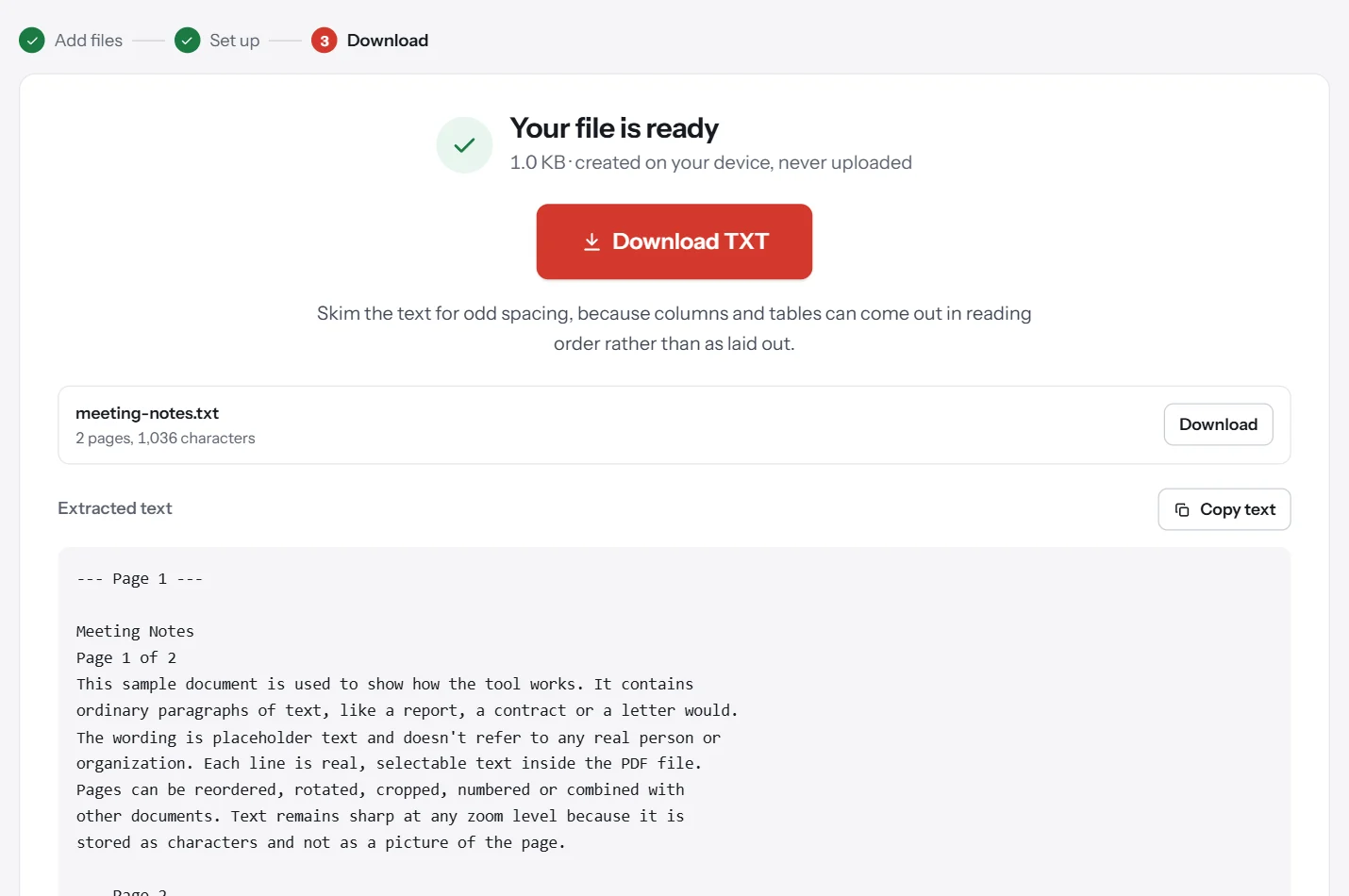
- Extract the text. If a report's front page is hard to copy, PDF to Text can pull out the title and authors so you don't mistype them. See how to copy text from a PDF.
- Save the page you cited. Extract Pages lets you keep a copy of a quoted page, which helps if the online version later changes.
For your own PDFs, you can help other people cite you correctly. Put the title, authors and date on the first page, and set the title and author using Edit Metadata.
Should you use a citation generator?
Generators save time, but they make mistakes, particularly with PDFs, because they can misread the file's metadata. A title might come out in the wrong case, or an author might be missing. Use one as a first draft, then check every entry against your style's rules. Reference managers such as Zotero are especially useful if you're handling many sources.
And check what your institution wants. Instructors, journals and departments often have their own requirements, which take priority over general guides like this one.
How to keep track of PDF sources
Save each PDF with a descriptive file name, such as rivera-chen-2024-cycling.pdf, and note the URL and date you accessed it. Links change, so a saved copy helps if the online version disappears.
Common mistakes when citing PDFs
- Writing "PDF" as the source type when the work is really a report or an article.
- Using a local file path, like
C:\Downloads\report.pdf. Readers can't follow that. Use the public URL. - Citing a search or login link that won't work for your readers. Find the stable URL or DOI.
- Mixing styles, such as APA's sentence case with MLA's name format.
- Trusting a file's metadata without checking the document itself.
- Forgetting page numbers on quotes. Quotes generally need a location.
- Inventing a date or author. Use the accepted terms for missing details instead.
- Using a long URL with tracking parameters. Remove anything after the question mark if the link still works without it.
Questions and answers
How do you cite a PDF in APA?
Cite the work by type. For a report: Author, A. A. (Year). Title of report in sentence case in italics. Publisher. URL. In text, use (Author, Year). Add a page number for direct quotes.
How do you cite a PDF in MLA?
Use the MLA template: Author. Title in italics. Publisher, Year, URL. For a PDF found on a website, add the website as a second container. You may add PDF download at the end.
How do you cite a PDF in Chicago style?
In a bibliography: Last, First. Title in italics. Publisher, Year. URL. In a note: First Last, Title (Publisher, Year), page, URL. Check whether your instructor uses author-date style.
What if a PDF has no author?
Use the organization as the author if there is one. If there isn't, start with the title. In APA, the in-text citation uses a shortened title. Never make up an author.
What if a PDF has no date?
In APA, write (n.d.). In MLA, you can leave the date out and add an access date if useful. In Chicago, use n.d. and an access date where appropriate.
Should I cite a PDF of a journal article differently?
No. Cite it as a journal article, with the volume, issue and pages. Include the DOI if there is one. The PDF is just how you read it.
Tools from this guide
How we checked this guide
We ran the PDF Lemon steps ourselves on the live tools. Steps for other apps come from each vendor's own help pages and are worded to survive small interface changes, but menu names can differ between versions.
Sources we used:
Related guides
- PDF SEO: optimize PDFs for Google and AI search1 min read
- What Is a PDF? Meaning, Uses, and Features7 min read
- How to Split a PDF into Separate Files7 min read
- How to Password Protect a PDF7 min read
- How to Insert a PDF into Word7 min read