What Is a PDF? Meaning, Uses, and Features
Short answer
A PDF is a file format that shows a document the same way on any device. PDF stands for Portable Document Format. Adobe introduced it in 1993, and it has been an open ISO standard since 2008. A PDF stores text, fonts, images and page layout together, which makes it ideal for sharing, printing, forms and contracts.
Open Merge PDFKey takeaways
- PDF stands for Portable Document Format, and files end in .pdf.
- A PDF keeps its layout on any device because fonts, images and positions travel inside the file.
- PDF is an open standard (ISO 32000), so you don't need Adobe software to open or create one.
- PDFs are best for finished documents. Word or Google Docs files are better while you're still writing.
What is a PDF, in plain English?
A PDF is a digital document that behaves like a printed page. Send one to a colleague on a Mac, a client on a Windows laptop and a friend on an Android phone, and all three see the same pages: the same line breaks, the same fonts, the same image positions. That reliability is the whole point of the format, and it's the main reason PDFs became the default for documents that are finished rather than still being written.
Compare that with a word processor file. Open a Word document on a computer without its fonts and the text may reflow, pushing a table onto the next page. A PDF avoids this because it records exactly where every item sits on the page and usually carries its fonts inside the file.
You'll know you have one by the .pdf at the end of the file name. Common examples include bank statements, airline tickets, tax forms, user manuals, academic papers and signed contracts.
What does PDF stand for?
PDF stands for Portable Document Format. Each word tells you something useful:
- Portable: the file can move between devices and operating systems without changing how it looks.
- Document: it's built around pages, like a printed document, rather than a flowing web page or a single image.
- Format: it's a defined technical specification, so many different apps can read and write it.
People often say "PDF file" or "PDF document". Both are correct, and they mean the same thing.
A short history of the PDF
Adobe released PDF 1.0 in 1993. It grew from the company's work on reliably sharing documents between very different computers, at a time when opening someone else's file often meant losing the layout entirely.
For years Adobe controlled the specification, publishing new versions up to PDF 1.7. Then, in 2008, the format became an international standard as ISO 32000-1, technically the same as PDF 1.7. This matters more than it sounds. Because PDF is an open standard, anybody can build software that reads and writes it without depending on one company. PDF 2.0 followed as ISO 32000-2, first published in 2017, with a second edition in 2020.
That's why you can open a PDF in a web browser, create one from Google Docs, and edit one in a free tool such as PDF Lemon's Edit PDF, with no Adobe product involved.
How does a PDF file work?
Think of a PDF as a set of precise instructions for drawing each page. Rather than storing "a paragraph that flows", it says, in effect, "draw these characters in this font at these exact coordinates". Images and shapes get the same treatment.
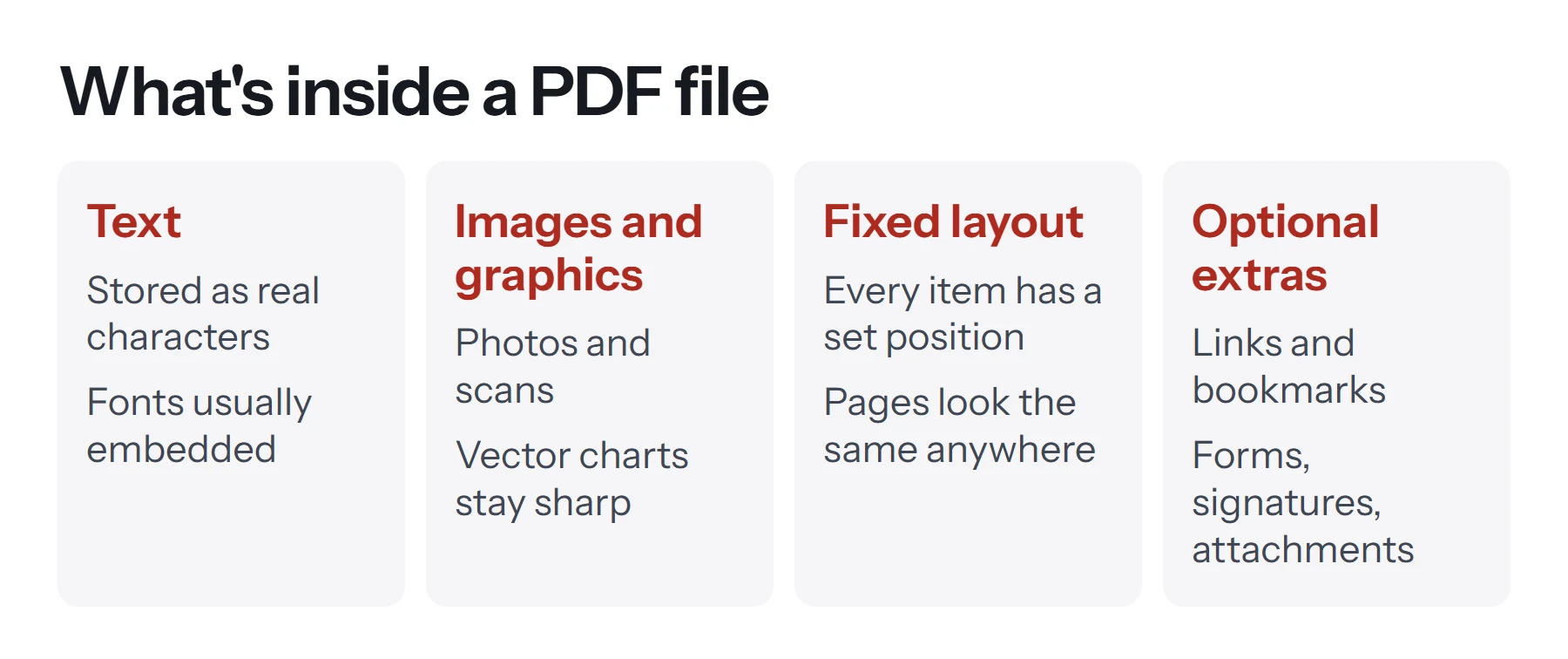
This design explains most of what people notice about PDFs, both good and bad:
- It looks identical everywhere, because positions are fixed.
- It's hard to edit, because there's no flowing paragraph to retype. Changing one word may not reflow the line after it.
- It reads awkwardly on a phone, because the page doesn't rearrange itself to fit a small screen the way a web page does.
- Text can be searched and copied if the file holds real characters. If it's a scan, each page is only a picture, unless software has added a hidden text layer.
Real text versus scanned pages
This is the single most useful thing to understand about PDFs. There are two very different kinds. A PDF exported from Word or Google Docs holds real text, so you can select a sentence, search for a word, and keep the file small. A PDF made by scanning paper holds a photograph of each page, so it's usually much larger and you can't select anything until optical character recognition (OCR) has been run on it.
A quick test: try to highlight a sentence. If you can, the text is real. If your cursor draws a box over the whole page or nothing happens, it's an image.
What are PDFs used for?
PDFs suit any document where the appearance matters or the content shouldn't casually change.
| Use | Why PDF works well |
|---|---|
| Contracts and agreements | Layout stays fixed, and signatures can be added |
| Invoices and statements | Looks the same for sender, recipient and accountant |
| Forms and applications | Fields can be filled in on screen, then printed or sent |
| Résumés | Your formatting survives whichever device an employer uses |
| Manuals and reports | Page numbers, bookmarks and links keep long documents navigable |
| Print files | Fonts and images are embedded, so printers get what you designed |
| Long-term archives | The PDF/A variant is designed for documents that must stay readable for years |
What features can a PDF have?
A PDF can be far more than a static page. Here's what the format supports, though not every PDF uses all of it.
- Fillable forms: text boxes, checkboxes and dropdowns. See how to fill out a PDF form or how to make one.
- Signatures: visual electronic signatures, or certificate-based digital signatures that reveal later changes. See how to sign a PDF.
- Passwords and permissions: one password to open the file and another to restrict editing or printing. See how to password protect a PDF.
- Links and bookmarks: clickable navigation inside the document and out to the web.
- Metadata: a stored title, author and keywords, which you can change with Edit Metadata.
- Compression: images can be reduced to make files smaller. See how to compress a PDF.
- Attachments: other files can travel inside a PDF.
Specialized versions of PDF
You may run into these names. They're all still PDFs, built on the same ISO standard, with extra rules for a particular job:
- PDF/A for long-term archiving.
- PDF/X for professional printing.
- PDF/UA for accessibility, so screen readers can navigate the document.
Unless someone specifically asks for one of them, an ordinary PDF is fine.
PDF vs Word vs image: which should you use?
The right format depends on what happens to the file next.
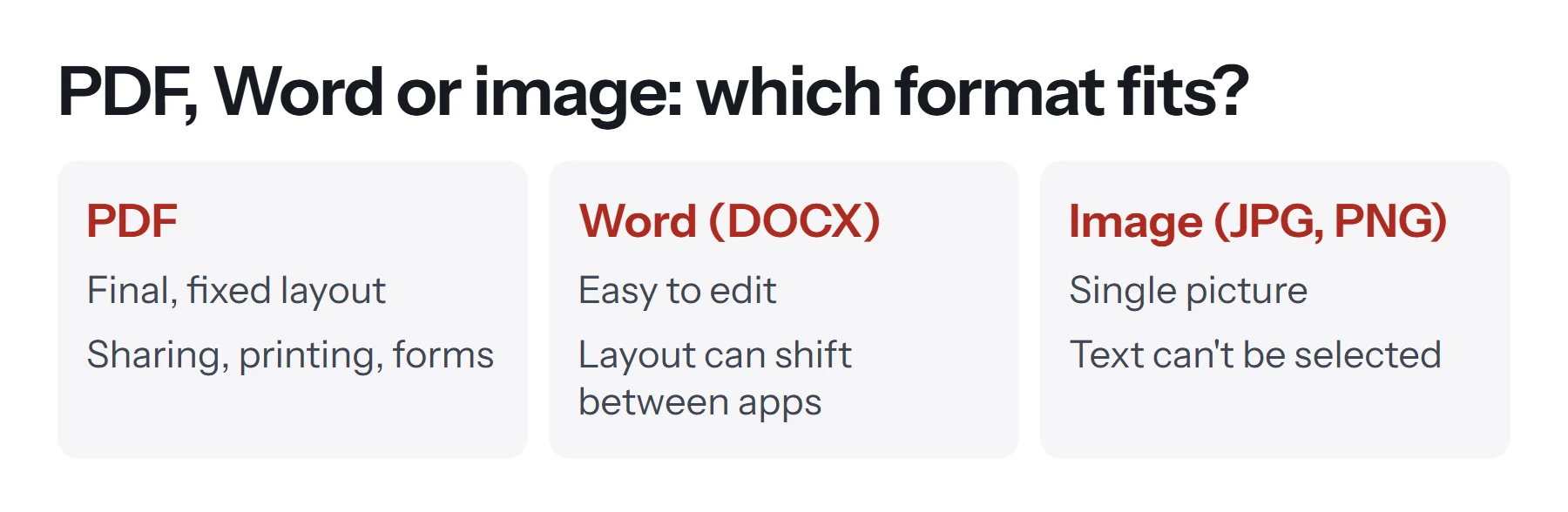
Use Word or Google Docs while the text is still changing or when several people need to edit it. Use a PDF when it's finished and needs to look right for everyone. Use a JPG or PNG when you only need a picture, such as one page in a slide deck or on social media.
Many workflows use all three: draft in a word processor, export to PDF to send it out, and save a page as an image to share a preview.
How do you open a PDF?
You almost certainly have a PDF reader already. Double-clicking a PDF on most computers opens it in your web browser or built-in viewer. Chrome, Edge, Firefox and Safari can all display PDFs with nothing to install, and Macs include Preview. Our guide to what a PDF reader is explains when a dedicated app is worth installing.
How do you create and change a PDF?
Most apps can produce a PDF, usually through Save As, Export or the print dialog. Our full guide on how to create a PDF file covers each route.
Changing a PDF depends on what you want to do. Adding text, signing, rotating pages or combining files is straightforward and free. Rewriting existing text is harder, because of the fixed-position design described above. If you still have the original Word or Docs file, editing that and exporting a new PDF will nearly always give a cleaner result. Our guide on how to edit a PDF compares the options.
Can you convert a PDF to other formats?
Yes, in both directions, although some conversions are more faithful than others. Turning a document into a PDF is reliable, because the PDF simply records how the pages already look. Going the other way is harder, because software has to guess where the paragraphs and tables were.
- To a PDF: images, Word documents, Google Docs and emails all convert well.
- From a PDF: images and plain text are dependable. Word works best when the PDF is mostly text.
What are the limitations of PDFs?
The format is excellent at its main job, but it isn't right for everything.
- Editing is awkward. It was built to preserve a document, not to keep changing it.
- Small screens are a poor fit. Fixed pages mean pinching and scrolling on a phone.
- Files can get large, especially scans. A photographed page takes far more space than the same page of text.
- Scans aren't searchable without OCR, which matters for both people and search engines.
- Accessibility isn't automatic. A PDF needs proper tagging before screen readers can navigate it well.
If people will mostly read your content on phones, consider publishing it as a web page and offering the PDF as a download.
Is a PDF secure?
A PDF isn't secure just by being a PDF. It's easy to assume so, because the file feels more final than a Word document, but anyone with the right tool can still copy or change an unprotected one. A password adds encryption, and a certificate-based digital signature can reveal changes made after signing. A flattened form or a cropped page, on the other hand, isn't security. Cropping usually hides content without removing it, so it can still sit in the file.
Be careful with PDFs from strangers too. They can contain scripts and attachments, so treat an unexpected PDF like any other unexpected email attachment. If you handle sensitive documents, check how an online PDF tool treats your files before you use it.
Questions and answers
What does PDF stand for?
PDF stands for Portable Document Format. "Portable" refers to the file looking the same across different devices, operating systems and apps.
What is a PDF file used for?
PDF files are used for documents that need a fixed layout: contracts, invoices, forms, manuals, reports, résumés, ebooks and anything meant to be printed.
Is a PDF the same as a Word document?
No. A Word file is designed for editing, and its layout can shift between computers. A PDF is designed for a fixed final layout, so it looks the same everywhere but is harder to edit.
Do I need Adobe to open a PDF?
No. Every major web browser can open PDFs, and Macs and iPhones include built-in viewers. Adobe Acrobat Reader is one option among many.
Can a PDF contain a virus?
It can. PDFs can carry scripts and embedded files, so only open PDFs from sources you trust, keep your reader updated, and be wary of unexpected attachments.
What format is a PDF file?
A PDF is its own document format with the .pdf extension. Inside, it can hold text, vector graphics and images, such as JPEGs, along with fonts and page layout information.
Tools from this guide
How we checked this guide
We ran the PDF Lemon steps ourselves on the live tools. Steps for other apps come from each vendor's own help pages and are worded to survive small interface changes, but menu names can differ between versions.
Sources we used:
Related guides
- How to Remove a Password from a PDF7 min read
- What Is a PDF Reader?7 min read
- How to Convert PDF to Word7 min read
- How to Create a PDF File7 min read
- How to Cite a PDF in APA, MLA, and Chicago7 min read