How to Create a Shareable PDF Link
Short answer
To create a link to a PDF, upload the file somewhere online and copy its address. Google Drive, Dropbox and OneDrive are the easiest options: upload the PDF, click Share, set who can open it, and copy the link. For public documents, upload the PDF to your own website. A PDF needs to be hosted online to have a link.
Open Compress PDFKey takeaways
- A PDF only gets a link once it's stored online, as files on your computer have no public address.
- Cloud storage is the quickest route and lets you control who can open the file.
- Hosting on your own website suits public documents, and it helps them appear in search results.
- "Anyone with the link" means anyone at all who gets the link, so keep private files restricted.
What is a PDF link?
A PDF link is a web address that opens a PDF, rather than an attachment you send with an email. People choose links because they get around email size limits, because you can update the file without resending it, and because a link can go anywhere: a text message, a website, a QR code or a social media post.
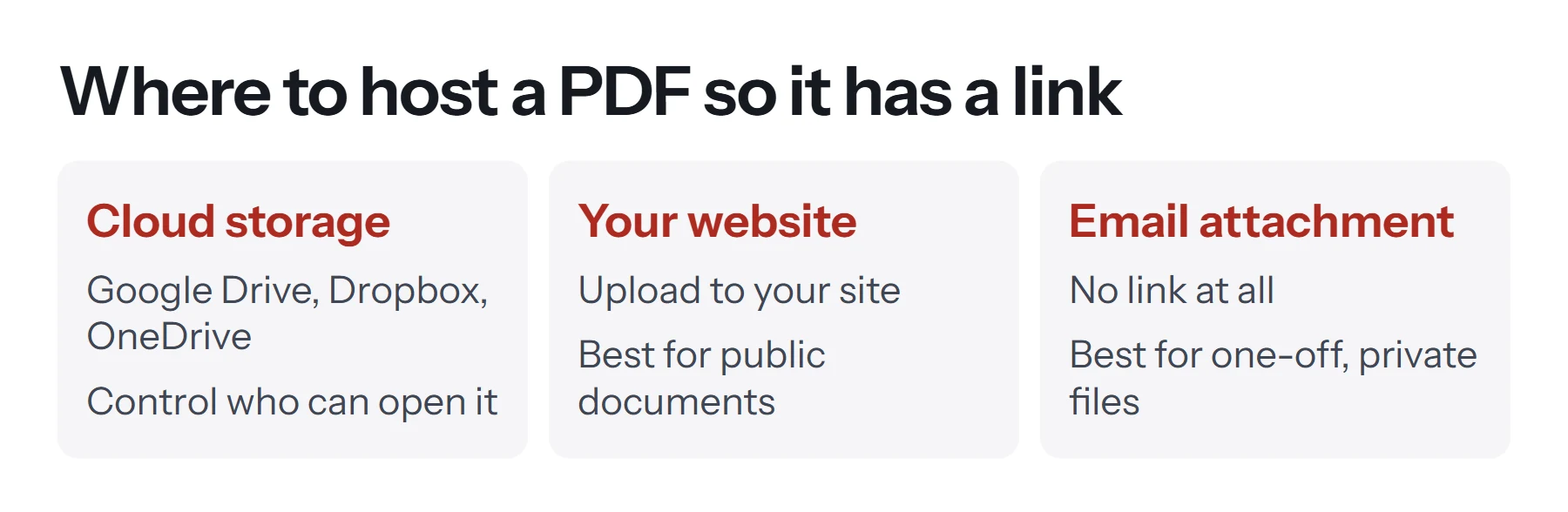
There's one thing to understand up front. A PDF on your computer has no public address, so nobody else can reach it. To create a link to a PDF, the file has to be stored online first. There's no way to convert a PDF into a link by itself, though many tools phrase it that way. They're really uploading the file and giving you its address.
So the real question is where to host it.
How to create a PDF link with Google Drive
Google Drive is the most common choice. A free Google account includes storage, and you get a clean viewer that works on any device.
- Upload the PDF. Go to Google Drive, click New, then File upload, and choose your PDF.
- Open the sharing settings. Right-click the file and choose Share.
- Set the access level. Under General access, change Restricted to Anyone with the link. Leave the role as Viewer.
- Copy the link. Click Copy link, then Done.
- Test it. Paste the link into a private browser window. You should see the PDF without having to sign in.
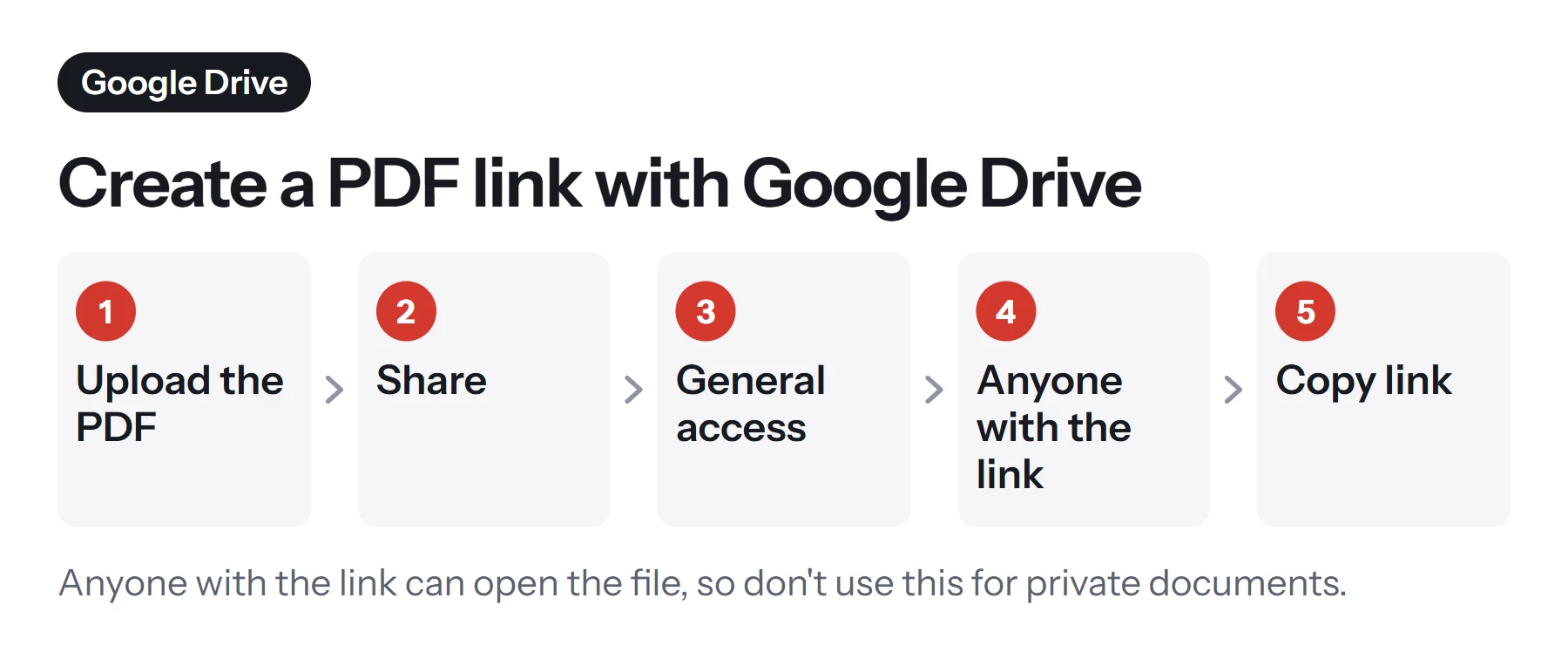
If only specific people should see the file, keep the access at Restricted and add their email addresses instead. Each person then has to sign in to view it.
How to create a PDF link with OneDrive or Dropbox
These work in much the same way, so choose whichever you already use.
OneDrive: upload the PDF to OneDrive, select it, and choose Share. Set who the link works for (anyone, people in your organization, or specific people), and turn off editing. Then click Copy link. Work accounts may have limits set by your IT team.
Dropbox: upload the PDF, hover over it, and click Share. Choose who can view it, then click Copy link. Paid plans add options such as passwords and expiry dates on links.
Which cloud service should you choose?
| Service | Works best when | Extra options on some plans |
|---|---|---|
| Google Drive | You already use Gmail or Docs | Limit downloading and printing |
| OneDrive | You work in Microsoft 365 | Expiring links and passwords |
| Dropbox | You share files with outside clients often | Passwords and expiry dates |
How to create a link to a PDF on your website
For public documents such as price lists, menus, brochures, application forms and reports, host the PDF on your own site. This looks more professional, keeps your domain in the address, and means the PDF can appear in Google. It's the right choice for anything you want people to find.
- Get the PDF ready. Give it a clear file name such as
spring-menu-2026.pdf, because this becomes part of the address. Use lowercase letters and hyphens, and avoid spaces. - Upload it. In WordPress, go to Media, then Add New. On other platforms, look for a file manager or file upload option.
- Copy the address. Your platform shows the file's URL once it's uploaded.
- Link to it from a relevant page. Use descriptive link text, such as Download the spring menu (PDF, 1.2 MB). Telling people it's a PDF and how large it is helps them, particularly on phones.
- Test it on a computer and on a phone.
Try not to bury a PDF. Search engines find it through links from your pages, so if it matters, link to it from somewhere prominent. Our guide to PDF SEO explains how to get PDFs found, including setting a title with Edit Metadata.
How to prepare your PDF before sharing
A link makes a file easy to pass on, and that's a reason to get it right before you upload it.
- Reduce the size. Big files are slow to open, especially on phones. Compress PDF helps, but use the Light level if you need links in the document to keep working.
- Combine related files. If people need several documents, merge them so that you're sharing one link rather than five.
- Set a real title. Browsers often show the document title in the tab. Change it with Edit Metadata, and clear any author name you'd rather not publish.
- Check for private information. Re-read the document with a stranger's eyes. Cropping or covering text doesn't remove it, as explained in how to crop a PDF.
- Mark drafts clearly. Add a watermark such as DRAFT if the document isn't final, because links get forwarded.
PDF Lemon's tools work on your device, so you can do all of this without your document going anywhere until you choose to upload it.
How to keep a shared PDF link secure
"Anyone with the link" sounds private, but it isn't quite. Anyone who gets that link can open the file, whether you sent it to them or not. Links get forwarded, pasted into chats and picked up by tools that scan web addresses.
Here's how the options compare, from most to least open:
| Setting | Who can open it | Suitable for |
|---|---|---|
| Public web page link | Anyone, and search engines | Menus, brochures, public reports |
| Anyone with the link | Whoever has the address | Low-risk documents, group sharing |
| Link with a password | Anyone with the link and password | Client files, if your plan offers it |
| Named people only | Specific signed-in accounts | Contracts, personal or financial files |
For anything sensitive, restrict access to named people, or add a password to the PDF itself, which protects it wherever it ends up. Send the password through a different channel from the link. It's also worth using link expiry when your service offers it, and removing access once the job is done.
How to update a PDF without changing the link
Printed flyers and QR codes can't be changed, so you'll want a link that stays the same when the document does.
- Google Drive: right-click the file, choose File information, then Manage versions, and upload a new version. The link stays the same. Uploading a new file with the same name creates a separate file with a separate link unless you use this feature.
- Dropbox: uploading a file with the same name to the same folder generally replaces it and keeps the link.
- Your website: replacing a file depends on your platform. Some create a new address automatically, so test the old link afterward.
How to measure who opens your PDF link
Most basic cloud links won't tell you who opened a file. If you need to know, consider these approaches. Your own website's analytics can count downloads when the PDF is hosted on your domain. Some paid document-sharing services report views by person and page. Google Workspace accounts can show activity on shared files. Whichever you use, tell people when you're tracking something that identifies them, as privacy rules may apply.
How to add links inside a PDF
This is a different job, but people often search for it the same way. To make text inside your PDF clickable:
- From Word or Google Docs, add the links in the document, then export with Save As or File, Download, which keep links working. Printing to PDF often drops them. See how to save a Word document as a PDF.
- In an existing PDF, you'd need an editor with a link tool, such as Adobe Acrobat. PDF Lemon doesn't add clickable links.
How to turn a PDF link into a QR code
A QR code is simply a link that a phone camera can read, which makes it handy on posters, menus and business cards. Create your link first, then paste it into a QR code generator. Test it on several phones, and print it large enough to scan easily. Because a code can't be changed once printed, use a link you can keep stable by updating the file behind it, as described above.
Common problems with PDF links
People are asked to request access. The sharing is still set to Restricted. Change it to Anyone with the link, or add their addresses.
The PDF downloads instead of opening. This depends on their browser settings and on how the host serves the file. It's rarely worth worrying about, but cloud viewers usually open it in the browser.
The link stopped working. You may have moved or deleted the file, or a free hosting link may have expired. Check it's still there, and create a new link if necessary.
It loads slowly. The file is probably large. Compress it and upload the smaller version.
The PDF doesn't show up in Google. Files in private cloud folders generally aren't indexed. To be found in search, host it on your website and link to it from a page.
The link is too long and ugly. Host it on your website with a clean file name, or use a link shortener for printed material. Be aware that if the shortener closes down, those links stop working.
Questions and answers
How do I turn a PDF into a link for free?
Upload it to Google Drive, Dropbox or OneDrive using a free account, click Share, change access so others can view it, and copy the link.
How do I make a PDF into a URL?
A URL is just the online address of a file. Upload your PDF to cloud storage or a website, and the address of that file becomes its URL. Your PDF itself doesn't change.
How do I create a link to a PDF on my website?
Upload the PDF using your website's media library or file manager, copy the file's address, and link to it from a page, using descriptive text such as Download the 2026 price list (PDF).
Can I add a hyperlink inside a PDF?
Yes. Word and Google Docs keep links when you export with Save As or Download. Adding a link to an existing PDF takes an editor such as Acrobat. Print-to-PDF routes often drop links.
Can PDF Lemon create a link to my PDF?
No. PDF Lemon doesn't store files, because everything stays on your device. Prepare the PDF in PDF Lemon, then upload it to the host of your choice to get a link.
How do I stop people downloading a shared PDF?
Google Drive offers a setting to limit downloading, printing and copying for viewers, though someone determined can still take screenshots. For truly sensitive files, restrict access to named people.
Tools from this guide
How we checked this guide
We ran the PDF Lemon steps ourselves on the live tools. Steps for other apps come from each vendor's own help pages and are worded to survive small interface changes, but menu names can differ between versions.
Sources we used:
Related guides
- How to Convert a Word Document to PDF7 min read
- How to Save an Email as a PDF7 min read
- How to Password Protect a PDF7 min read
- Are online PDF tools safe to use?1 min read
- How to Convert Excel to PDF7 min read